
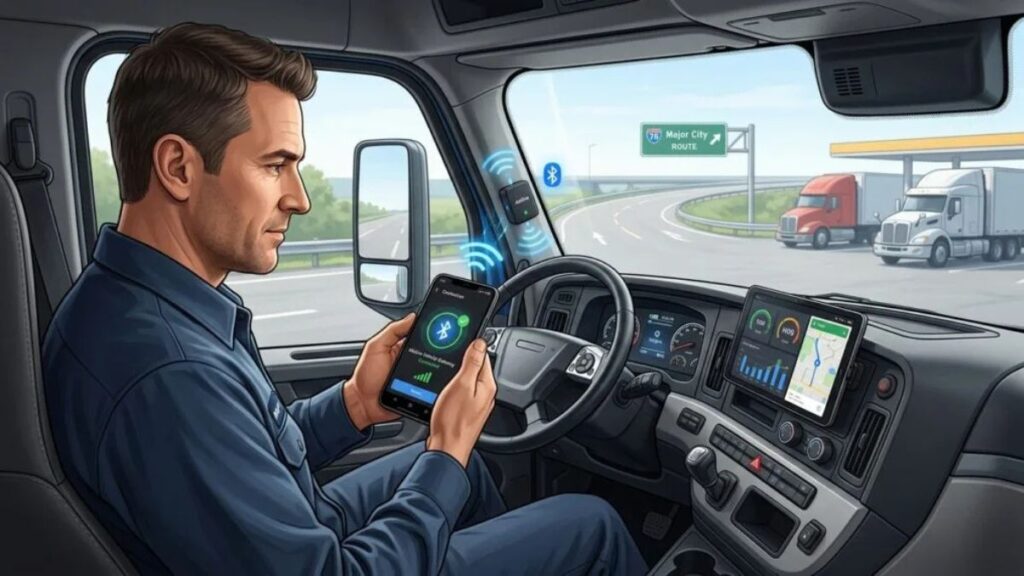
The Motive Driver App has become one of the most widely used mobile solutions in the transportation and logistics industry. Designed to simplify compliance, improve driver efficiency, and streamline communication between drivers and fleet managers, the app plays a crucial role in modern fleet operations.
Whether you’re a professional truck driver, owner-operator, or fleet manager, understanding how the Motive Driver App works can help improve productivity while reducing administrative tasks. In today’s highly regulated trucking environment, mobile technology has become essential for maintaining compliance and ensuring smooth daily operations.
This guide explains the app’s features, benefits, best practices, common mistakes, and practical tips to help you get the most value from it.
What Is the Motive Driver App?
The Motive Driver App is a mobile application designed to help commercial drivers manage their daily responsibilities directly from a smartphone or tablet. It works alongside electronic logging devices (ELDs) and fleet management systems to support Hours of Service (HOS) compliance, vehicle inspections, communication, and trip management.
Quick Definition
The Motive Driver App is a driver-focused fleet management tool that enables electronic logging, vehicle inspections, safety monitoring, and communication between drivers and fleet administrators.
The app reduces paperwork and helps drivers complete important tasks digitally while staying compliant with transportation regulations.
Primary Functions
Drivers commonly use the app for:
- Electronic logging
- Hours of Service tracking
- Vehicle inspections
- Trip management
- Safety monitoring
- Document uploads
- Messaging and communication
- Fuel tracking
- Compliance reporting
Key Features of the Motive Driver App
Modern fleet operations demand more than simple electronic logs. The platform combines several tools into one mobile solution.
Electronic Logging Device (ELD) Integration
One of the most important features is seamless ELD integration. Drivers can automatically record driving time and duty status without manually entering every activity.
Benefits include:
- Reduced paperwork
- Improved accuracy
- Faster audits
- Better compliance management
Hours of Service Tracking
The application helps drivers monitor available driving hours in real time.
Drivers can quickly view:
- Remaining drive time
- Shift limits
- Cycle hours
- Break requirements
This reduces the risk of accidental violations.
Digital Vehicle Inspections
Pre-trip and post-trip inspections can be completed directly within the app.
Drivers can:
- Record defects
- Upload photos
- Submit inspection reports
- Track maintenance issues
Driver Safety Monitoring
Safety-focused features encourage better driving habits.
These tools often monitor:
- Harsh braking
- Rapid acceleration
- Speeding events
- Unsafe driving behaviors
Document Management
Instead of carrying physical paperwork, drivers can upload and store important documents digitally.
Common examples include:
- Bills of lading
- Receipts
- Inspection forms
- Fuel records
Major Benefits for Drivers
The app offers several practical advantages that directly impact daily operations.
Reduced Administrative Work
Digital workflows eliminate many manual processes. Drivers spend less time filling out paperwork and more time focusing on transportation tasks.
Improved Compliance
Real-time compliance tracking helps drivers avoid costly violations and penalties.
Better Communication
Fleet managers and drivers can exchange information quickly without relying solely on phone calls.
Faster Reporting
Documents, inspections, and trip information can be submitted instantly.
Greater Convenience
Most essential driver functions are available from a single mobile platform.
Motive Driver App Features Comparison
| Feature | Driver Benefit | Business Benefit |
|---|---|---|
| ELD Logging | Accurate duty tracking | Regulatory compliance |
| Vehicle Inspections | Faster reporting | Reduced maintenance risks |
| Messaging | Better communication | Improved coordination |
| Document Uploads | Less paperwork | Centralized records |
| Safety Monitoring | Improved driving habits | Lower accident risk |
| Trip Management | Better route awareness | Operational efficiency |
How to Set Up the Motive Driver App
Getting started is usually straightforward.
Step 1: Download the App
Install the application on your smartphone or tablet from the appropriate app marketplace.
Step 2: Log In
Use credentials provided by your fleet administrator or company.
Step 3: Connect to the Vehicle
Pair the app with the vehicle’s ELD system according to company instructions.
Step 4: Verify Information
Confirm:
- Driver profile
- Vehicle assignment
- Duty status
- Compliance settings
Step 5: Begin Logging Activities
Once connected, drivers can start recording trips and managing daily operations.
Best Practices for Using the Motive Driver App
Following proven practices helps maximize efficiency and compliance.
Keep Information Updated
Always verify:
- Driver details
- Vehicle assignments
- Current duty status
Accurate information reduces compliance issues.
Complete Inspections Thoroughly
Never rush through vehicle inspections. Detailed reports improve safety and maintenance planning.
Review Hours Regularly
Checking available hours throughout the day prevents unexpected violations.
Upload Documents Promptly
Submitting documents immediately reduces administrative delays and lost paperwork.
Maintain Device Readiness
Ensure your smartphone or tablet remains:
- Charged
- Updated
- Connected to the internet when needed
Best Practices Summary Table
| Best Practice | Why It Matters |
|---|---|
| Verify duty status daily | Prevent compliance errors |
| Complete inspections carefully | Improve safety reporting |
| Upload documents immediately | Reduce paperwork delays |
| Monitor available hours | Avoid HOS violations |
| Keep app updated | Access latest features |
| Check messages regularly | Improve communication |
Common Mistakes Drivers Should Avoid
Even experienced drivers occasionally make errors that create compliance challenges.
Forgetting Duty Status Changes
One of the most common mistakes involves failing to update duty status correctly.
Skipping Vehicle Inspection Details
Incomplete inspection reports can lead to unresolved maintenance issues.
Ignoring Notifications
Alerts often contain important compliance information that requires immediate attention.
Delayed Document Submission
Waiting too long to upload paperwork increases the chance of missing records.
Poor Device Maintenance
Low battery levels or outdated software can interrupt app functionality.
Pros and Cons of the Motive Driver App
Pros
- Easy-to-use interface
- Real-time compliance tracking
- Digital document management
- Faster communication
- Reduced paperwork
- Integrated fleet management tools
- Enhanced safety monitoring
Cons
- Requires device connectivity
- Learning curve for new users
- Dependence on mobile hardware
- Some features may vary by fleet configuration
Who Benefits Most from the Motive Driver App?
Different transportation professionals use the platform in unique ways.
Company Drivers
Company drivers benefit from simplified compliance and communication tools.
Owner-Operators
Independent operators gain access to fleet management features without large administrative overhead.
Fleet Managers
Managers can monitor operations more effectively and improve overall efficiency.
Safety Teams
Safety personnel gain better visibility into driver behavior and compliance metrics.
Operational Impact Breakdown
| Area | Traditional Process | Using the App |
|---|---|---|
| Logbooks | Manual entries | Automated logging |
| Inspections | Paper forms | Digital reports |
| Documents | Physical storage | Cloud-based access |
| Communication | Calls and emails | In-app messaging |
| Compliance Tracking | Manual calculations | Automated monitoring |
Tips for Maximizing Efficiency
Drivers who use the platform effectively often follow a consistent routine.
Start Every Shift with a Review
Check:
- Duty status
- Vehicle assignment
- Available hours
Create Inspection Habits
Following the same inspection sequence daily reduces missed items.
Respond to Notifications Quickly
Prompt responses help maintain accurate records.
Organize Digital Documents
Keeping documents categorized makes retrieval easier during audits or reviews.
Learn Advanced Features
Many users only utilize basic functions. Exploring additional tools can improve productivity significantly.
The Future of Driver Management Technology
Transportation technology continues to evolve rapidly. Mobile driver applications are becoming increasingly sophisticated, offering deeper integration with fleet systems, predictive maintenance tools, route optimization platforms, and advanced safety analytics.
As regulations become more complex and fleets seek greater efficiency, digital driver management solutions will remain a critical component of successful transportation operations.
Conclusion
The Motive Driver App helps modern drivers manage compliance, inspections, communication, and documentation through a single mobile platform. By reducing paperwork and automating key tasks, it improves both driver productivity and fleet efficiency.
Drivers who consistently use the application’s features, maintain accurate records, and follow best practices are more likely to stay compliant and operate efficiently. Whether you’re a company driver, owner-operator, or fleet administrator, understanding the full capabilities of the app can help you get better results from your daily operations.
Frequently Asked Questions
1. What is the Motive Driver App used for?
The app is used for electronic logging, Hours of Service tracking, vehicle inspections, communication, and compliance management.
2. Does the Motive Driver App work with ELD devices?
Yes. The platform integrates with compatible ELD systems to automate driver logs and duty status tracking.
3. Can drivers complete inspections through the app?
Yes. Drivers can perform digital pre-trip and post-trip inspections, report defects, and upload supporting photos.
4. Is the Motive Driver App useful for owner-operators?
Absolutely. Owner-operators can use it to manage compliance, inspections, documents, and operational records.
5. How does the app improve compliance?
It provides real-time Hours of Service monitoring, automated logging, inspection tracking, and digital documentation to help drivers meet regulatory requirements.
/ You May Also Read /
Zingyzon com in USA: Complete Guide to Features, Benefits, Shopping Experience, and User Insights
Aurö: The Ultimate Guide to Understanding, Using, and Maximizing Its Potential